Cursor-Square vs Mine: Home Defense

Cursor-Square vs Mine: Home Defense

1.0

About the Game

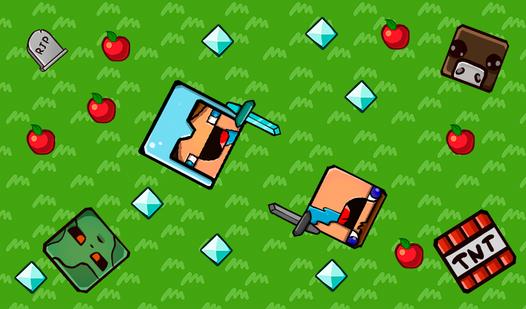
Cursor-Square vs Mine: Home Defense — a unique blend of idle mechanics and strategic positioning. Your cursor attacks automatically — you focus on positioning it for maximum damage! 🎯 Auto Attack – No clicking needed! The cursor strikes automatically at regular intervals. 🏰 Fortress Defense – Defend against waves of Zombies, Pigmen, and mysterious creatures. 🏭 Passive Miners – Hire workers to generate Copper, Silver, and Gold. 🔥 3 Unique Biomes – Progress through Grass, Nether, and End worlds. 🏹 Arrow System – Create ricocheting projectiles with critical hits. 💎 97 Upgrades – Customize attack speed, range, damage, fortress stats, and more. 🔄 Trading – Convert currencies: Copper → Silver → Gold → Diamond. Fight 6 types of enemies, including teleporting foes and kamikaze attackers!

How to Play

Your circular cursor attacks automatically every second. Move it over enemies to damage them - no clicking needed! Basic Gameplay: Position Your Cursor - Hover over enemies. Your attack zone will pulse and strike all foes inside it Collect Currency - Defeated enemies drop Copper, Silver, Gold. Currency is magnetized to your cursor automatically Purchase Upgrades - Open the upgrade menu and invest in damage, attack speed, range, critical hits, and arrow mechanics Advanced Strategies: • Hire Miners - Spend Silver to hire passive workers. Assign them to produce Copper, Silver, or Gold per second • Trade Currencies - Unlock trading (100 Gold) to convert excess lower currencies into higher tiers • Progress Prestiges - Complete levels to unlock harder prestiges with better rewards and new enemy types Controls: Left mouse button – click on interface buttons. Hold left mouse button and drag – move around the skill tree. Scroll mouse wheel – zoom in and out in the skill tree.